
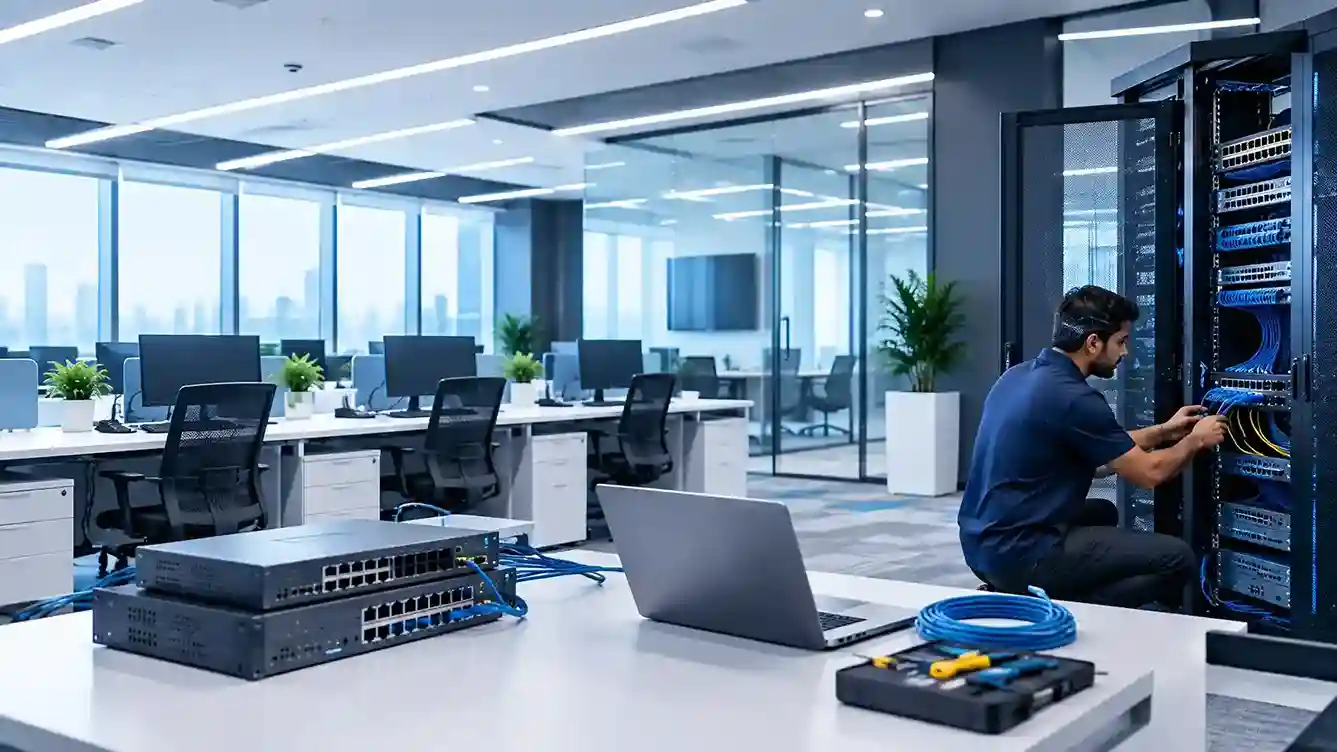
IT AMC should ideally start as soon as a new office IT setup has passed final testing and is handed over for daily business use. In most cases, this means activating ongoing IT maintenance on the go-live date or immediately after the implementation team’s initial project-support period ends.
The important objective is to avoid a gap between project completion and ongoing IT ownership.
A newly installed network, firewall, server, Wi-Fi system or workstation may be working perfectly on handover day, but once employees begin using the environment, configuration changes, support requests, updates, security events and performance issues begin to appear.
For businesses that have completed a new office IT setup in Dubai, establishing responsibility for ongoing support from Day One helps protect the technology investment. Companies that need continuous maintenance can transition the environment into professional IT AMC services in Dubai rather than waiting for the first technical problem to occur.
When Should an IT AMC Begin?
The best starting point depends on how your new office project is structured.
| Stage | IT AMC Recommendation |
|---|---|
| IT installation underway | Usually too early |
| Installation completed but testing continues | Prepare AMC documentation and scope |
| User acceptance testing completed | Finalize AMC coverage |
| Office goes live | Ideal time to activate AMC |
| Installer provides short stabilization support | AMC should begin when this coverage ends |
| Office already operational with no ongoing support | Start an assessment and AMC as soon as practical |
The key principle is simple:
There should be no period in which the office is operational but nobody is clearly responsible for maintaining and supporting its IT environment.
Why Doesn’t IT Support End When the Office Setup Is Complete?
A new office IT setup is primarily an implementation project.
It may involve network planning, structured cabling, routers, switches, Wi-Fi, workstations, security systems, servers, Microsoft 365, cloud applications, printers, backup systems and other components.
CubeZix’s New Office IT Setup solutions cover planning, infrastructure installation, security, backup implementation, equipment setup and network testing before the environment goes live.
But installation and ongoing maintenance solve two different problems.
Office IT setup asks:
“How should we design, install and configure the technology?”
Ongoing maintenance asks:
“How do we keep that technology secure, available and performing properly after employees begin using it?”
That transition is where an IT AMC becomes relevant.
The Ideal Transition: Setup → Testing → Handover → AMC
Businesses should think about a new office IT environment as a lifecycle rather than a one-time installation.
The typical sequence is:
Planning → Installation → Configuration → Testing → Handover → Go-Live → Ongoing Maintenance
The AMC belongs at the final stage, but its requirements should preferably be discussed before the implementation project closes.
This avoids situations where the installation contractor finishes the project, documentation is incomplete, nobody is monitoring the infrastructure and the business discovers several weeks later that ongoing support was never formally assigned.
Should IT AMC Start on the Same Day the Office Goes Live?
In many cases, yes.
If employees begin relying on the infrastructure from the first working day, ongoing support should also be available from that point.
The first few weeks after a new-office launch are particularly important because real-world usage may expose issues that were not obvious during installation testing.
For example, employees may experience wireless coverage problems in certain areas, printer access issues, Microsoft 365 configuration questions, VPN problems, application permission errors or network performance concerns.
These do not necessarily mean the original implementation was poor. They may simply result from the difference between a controlled testing environment and dozens of people using the systems simultaneously.
Having clearly assigned support from Day One gives employees somewhere to report these problems and creates accountability for resolving them.
What if the IT Installer Provides a Warranty or Stabilization Period?
This is where many businesses become confused.
Project support, product warranty and an IT AMC are not necessarily the same thing.
An implementation provider may offer a short period after installation during which configuration issues related directly to the project are corrected. Hardware manufacturers may separately provide warranties against specific equipment faults.
Your business should identify when those responsibilities start and end.
If a stabilization period lasts several weeks, the AMC can be scheduled to begin when that project support expires—or overlap where operational support requirements extend beyond the installation warranty.
What should be avoided is an undefined period where the installer believes the project has finished while the business assumes ongoing maintenance is still included.
What Should Be Completed Before the AMC Takes Over?
The handover between the project team and ongoing support provider is one of the most important stages.
Before ongoing maintenance begins, the business should have a reliable record of the environment that was installed.
A useful handover should establish:
- Hardware and device inventory
- Network topology and IP addressing
- Firewall and router configurations
- Wi-Fi access points and configuration
- Server and storage details
- Administrator and service accounts
- Microsoft 365 or cloud administration details
- Software licenses and renewal dates
- Backup systems and recovery procedures
- Vendor and warranty information
- Internet and telecommunications details
- Outstanding implementation issues
- Escalation contacts
- Critical business applications
This information gives the support team a technical baseline rather than forcing engineers to rediscover the environment when the first incident occurs.
Companies building or expanding their technology environment can also review CubeZix’s IT infrastructure solutions to understand how networking, servers, storage, security and end-user systems fit together.
Start With a Baseline IT Health Check
Even when the infrastructure is new, creating an initial baseline can be valuable.
The purpose is not necessarily to find faults. It is to document what “healthy” looks like at the beginning of the maintenance period.
The baseline might record network performance, storage capacity, firewall status, backup configuration, workstation inventory, patch levels and other important indicators.
Future problems can then be compared against this starting point.
Regular assessments become more valuable as the environment changes. CubeZix explains this further in its guide to regular IT audits in AMC contracts.
Network Monitoring Should Begin Early
A new office network often includes switches, routers, Wi-Fi access points, firewalls and internet connectivity.
These systems may initially perform well because device counts and user activity are still relatively low.
As more employees join the network, new devices are added and business applications generate traffic, problems can begin to emerge.
Ongoing monitoring can help identify unusual performance, connectivity failures, capacity concerns and repeated network incidents before they become persistent productivity problems.
Businesses with more complex environments can also consider dedicated network support services alongside broader maintenance arrangements.
Don’t Treat Firewall Installation as a One-Time Task
A firewall should not simply be installed during the office setup and then ignored.
Over time, businesses add users, applications, VPN access, cloud platforms, remote workers and new services.
Firewall rules and configurations may therefore need to evolve with the company.
Security devices may also require firmware updates, configuration reviews and troubleshooting.
CubeZix provides separate firewall installation and configuration services for businesses that need specialist firewall implementation and management.
The important takeaway for a new office is that security infrastructure needs an owner after installation.
Confirm Backup Responsibility Before Employees Create Critical Data
Backup is another reason ongoing IT responsibility should begin early.
Once employees start working, the new environment begins accumulating business-critical information.
Files, accounting information, project documents, customer records, emails and other operational data may quickly become difficult or expensive to replace.
The company therefore needs to understand from the beginning:
What is being backed up? Who checks whether backups succeed? Where is the data stored? Who is responsible if recovery is required?
For organizations that need a dedicated continuity strategy, CubeZix also offers data backup and disaster recovery services.
What Happens if You Wait Several Months Before Taking an AMC?
The biggest issue is usually not that equipment suddenly becomes old.
The problem is that small operational changes accumulate without centralized oversight.
A few months after launch, the environment may already contain additional laptops, new employees, temporary Wi-Fi changes, software installations, altered firewall rules, new printers, shared folders, SaaS applications and user-access changes.
Without clear IT ownership, documentation can quickly become outdated.
When a significant problem eventually happens, the engineer responding to it may first need to understand an environment that has already changed substantially from its original design.
Starting maintenance early makes it easier to preserve the known-good state created during implementation.
Does Every New Office Need the Same AMC Coverage?
No.
A five-person professional office does not necessarily require the same maintenance arrangement as a 100-user company operating servers, multiple networks, cloud systems, CCTV, access control and business-critical applications.
The appropriate support model depends on factors such as employee count, number of devices, infrastructure complexity, operating hours, business-critical systems and whether an internal IT person already exists.
This is another reason the AMC discussion should happen close to project completion.
By that stage, the installed infrastructure is known and the maintenance scope can be based on the actual environment rather than assumptions made months earlier.
What if the Office Has Internal IT Staff?
An internal IT employee does not necessarily eliminate the need for external support.
The question is whether your internal team has sufficient resources and specialist expertise to support every part of the newly deployed environment.
For example, everyday user support may be handled internally while specialist assistance is required for networking, firewalls, servers, backup systems or infrastructure troubleshooting.
The responsibilities should be defined during handover so employees know which problems go to the internal team and which are escalated externally.
For businesses considering a broader external-management model, CubeZix also provides IT outsourcing services in Dubai, which is a different model from an AMC and should be evaluated according to the level of operational responsibility the business wants to outsource.
Signs You Should Not Delay Post-Setup IT Maintenance
Businesses should pay particular attention when the new office contains business-critical servers, many network devices, multiple cloud services, remote-access requirements, sophisticated firewall policies, sensitive data or a large number of users.
The more components that depend on one another, the more valuable it becomes to establish ongoing responsibility early.
Another warning sign is when nobody can clearly answer:
“Who should we call tomorrow if the network, server, firewall or user systems stop working?”
If the answer is unclear at project handover, the support model has not been fully completed.
A Better Way to Plan IT AMC During a New Office Project
Instead of finishing the project first and discussing maintenance months later, businesses can treat ongoing support as part of the office IT lifecycle.
During planning, identify the systems being installed.
During implementation, document them.
During testing, establish a technical baseline.
During handover, transfer access and documentation.
At go-live, activate the agreed support model.
After go-live, monitor, maintain and review the environment as the organization grows.
This creates continuity between the team that builds the technology environment and the team responsible for keeping it operational.
From New Office Setup to Ongoing IT Stability
Completing a new office IT setup is not the end of the technology lifecycle. It is the point where responsibility shifts from building the environment to maintaining the environment.
For most businesses, IT AMC should therefore begin at go-live, immediately after formal project handover, or as soon as any agreed post-installation support period ends.
Waiting until hardware fails or employees begin experiencing repeated issues turns maintenance into reactive troubleshooting.
Planning the transition in advance provides clearer ownership, better documentation and a smoother path from implementation to day-to-day operations.
If your new office infrastructure is ready to go live, CubeZix can assess the environment and determine the appropriate IT AMC support for your Dubai business based on the systems, users and level of ongoing support required.
Frequently Asked Questions
When should an IT AMC start after a new office setup?
Ideally, it should begin when final testing and handover are complete and the office starts normal operations. If the installation project includes temporary post-launch support, AMC coverage should be scheduled so there is no gap when that period ends.
Should IT AMC begin before the office opens?
The contract and support process can be prepared before opening, but active maintenance generally becomes most relevant once the installed environment has been tested and is ready for operational use.
Is IT AMC the same as the installation warranty?
No. Installation support may address defects or issues related to the original implementation, while product warranties generally relate to hardware. An AMC addresses ongoing operational support and maintenance according to the agreed contract scope.
Do new computers and network equipment need maintenance immediately?
New equipment may not require repairs, but the overall environment still needs configuration management, user support, monitoring, security oversight, updates and troubleshooting as employees begin using it.
What information should be handed over before IT maintenance begins?
The support provider should have accurate infrastructure documentation, device information, network details, required administrative access, licensing