
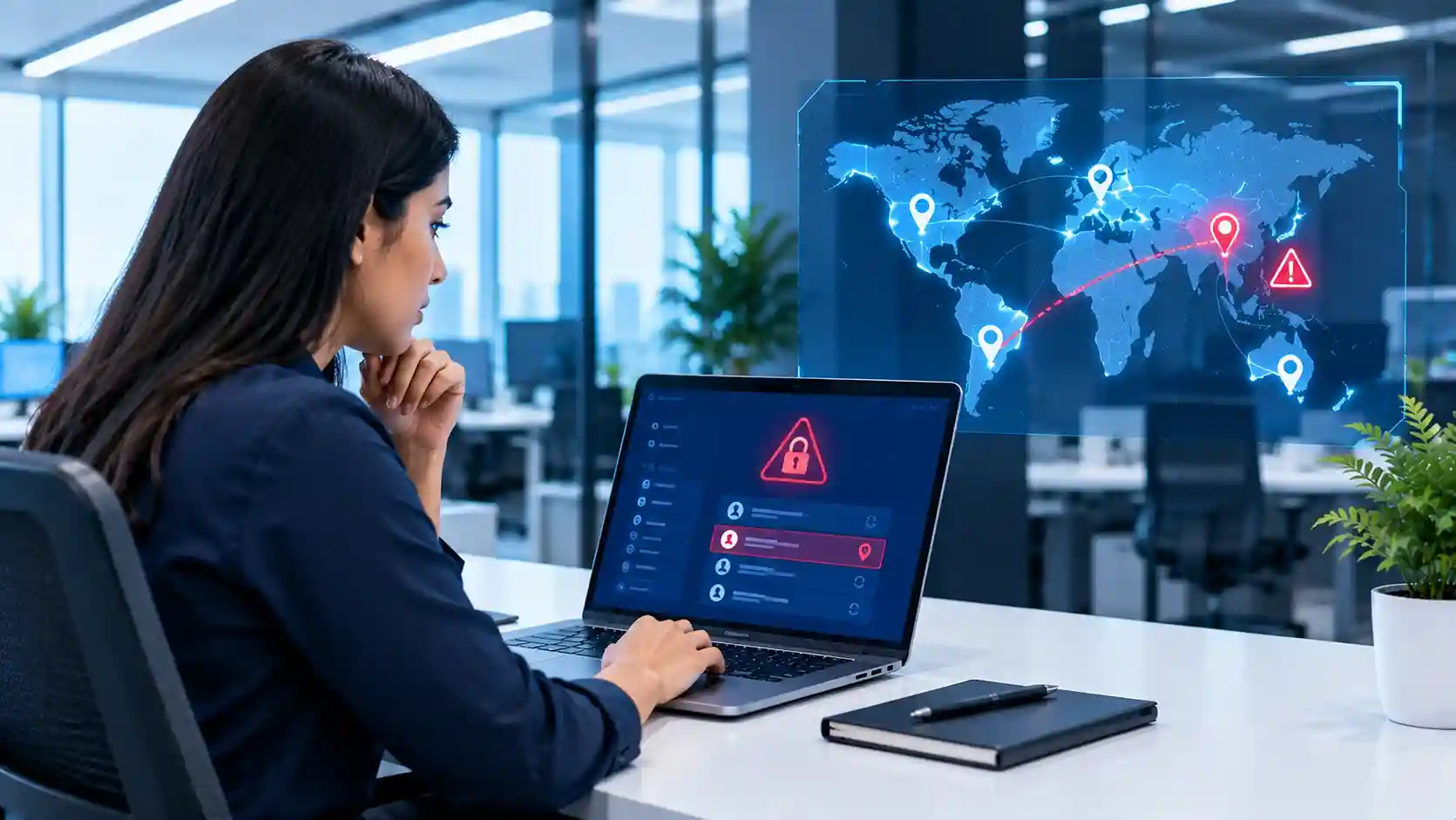
An employee normally signs into Microsoft 365 from Dubai. Suddenly, the same account appears to sign in from another country thousands of kilometres away.
Is the employee travelling? Using a VPN? Or has someone stolen their credentials?
Unusual login alerts should trigger an immediate verification process—not an automatic assumption that the account has been compromised. IT should check the user, IP address, location, device, authentication method, recent sign-in history and risk signals before deciding whether to block access, revoke sessions or reset credentials.
Microsoft Entra ID can identify risky activity such as unfamiliar sign-in properties, anonymous IP addresses, atypical travel, new countries and other suspicious authentication patterns. Microsoft also recommends monitoring unusual successful sign-ins, not only failed attempts, because a successful login can represent an attacker who has obtained valid credentials.
For businesses using Microsoft cloud services, professional Microsoft 365 services in Dubai can help configure authentication, access controls, MFA and ongoing Microsoft 365 administration so unusual login activity can be investigated through a structured security process.
The important question is not simply:
“Did someone log in from another country?”
It is:
“Does this sign-in match the user’s normal behaviour, device, authentication pattern and business activity?”
What Is an Unusual Login Alert?
An unusual login alert is generated when an authentication event appears different from what is normally expected for a user.
The unusual factor could involve:
- A new country or region
- An unfamiliar IP address
- A different device
- A different operating system
- An anonymous VPN or proxy
- A suspicious IP address
- An unusual browser
- An unexpected time of day
- Rapid sign-ins from geographically distant locations
- Authentication behaviour inconsistent with the user’s normal pattern
Microsoft Entra ID Protection evaluates sign-in signals and can assign risk to suspicious authentication attempts. Risk detections can include new country, atypical travel, impossible travel, anonymous IP addresses, malicious IPs and unfamiliar sign-in properties.
However, an unusual location does not automatically mean an attack.
That is why IT needs an investigation process.
Why Can Legitimate Logins Appear to Come From Another Country?
Security alerts must be investigated in context.
There are several legitimate reasons a sign-in might appear unusual.
The Employee Is Travelling
A Dubai-based executive may travel to London, Riyadh, Singapore or another location and legitimately access company email.
If IT knows the employee is travelling, the sign-in may be expected.
The Employee Is Using a VPN
A VPN can make a device appear to connect from a different geographic location.
Microsoft specifically notes that VPN usage can contribute to false positives when analysing geographically distant sign-ins.
Mobile Networks Can Affect IP Geolocation
Internet traffic does not always appear to originate from the employee’s exact physical location.
Mobile operators, internet providers and cloud services may route traffic in ways that affect location information.
The Employee Is Using a New Device
An employee who purchases a new phone or uses another computer may trigger unfamiliar sign-in signals.
The correct response is therefore not:
“Different country = compromised account.”
Instead:
“Different country = investigate the context.”
What Should IT Check First?
When an unusual login alert appears, IT should quickly collect enough information to determine whether the activity is legitimate.
A useful first-response checklist includes:
- Which employee account generated the alert?
- What country or region was reported?
- What IP address was used?
- Was the sign-in successful or unsuccessful?
- What application was accessed?
- What device and browser were used?
- Was MFA completed?
- Is this device already known?
- Has the user travelled recently?
- Are there other suspicious sign-ins around the same time?
Microsoft recommends establishing a normal behavioural baseline so unusual activity can be compared against what is expected for the organization and individual users.
Step 1: Verify the Sign-In With the User
One of the fastest ways to investigate an unusual location is to contact the employee.
Ask a simple question:
“Did you sign into Microsoft 365 from this location at this time?”
Do not send detailed security information through the same potentially compromised account if the situation appears serious.
Use an approved alternate contact method where appropriate.
There are three possible outcomes.
The User Confirms the Activity
The sign-in may be legitimate.
IT should still verify that the device and authentication details make sense.
The User Denies the Activity
Treat the account as potentially compromised.
The User Cannot Be Reached
The appropriate action should depend on the risk level, privilege of the account and potential business impact.
For a normal user, temporary restrictions may be appropriate.
For a privileged administrator account, the response should generally be more aggressive.
Step 2: Check Whether MFA Was Used
Multifactor authentication significantly improves account security because knowing a password alone should not be enough to access the account.
If an unusual sign-in successfully passed MFA, IT should ask additional questions.
Was the employee genuinely approving the login?
Did the user receive repeated authentication prompts?
Could the user have accidentally approved a request?
Could an attacker have stolen an authenticated session rather than simply the password?
CubeZix explains the role of additional authentication factors in its guide to multifactor authentication and why businesses need it.
MFA is extremely important, but it should not be treated as a reason to ignore suspicious login alerts.
Microsoft’s identity-protection guidance supports using sign-in risk with Conditional Access to require additional authentication or block risky sessions based on the organization’s policies.
Step 3: Review the User’s Recent Sign-In History
Do not investigate a suspicious login in isolation.
Look at the user’s surrounding activity.
For example:
09:02 — Dubai, UAE
09:09 — Germany
09:15 — Dubai, UAE
It would obviously be impossible for the employee to physically travel between those locations in minutes.
However, investigate whether corporate VPNs or known network routing could explain the activity before drawing a conclusion.
Also look for:
- Repeated failed attempts
- New IP addresses
- Different devices
- New applications
- Anonymous IP addresses
- Unusual authentication methods
- Activity outside normal working hours
A pattern is often much more useful than one alert.
Step 4: Pay Special Attention to Impossible or Atypical Travel
Location-based security systems can identify activity where two sign-ins occur too far apart geographically to represent realistic travel.
Microsoft distinguishes between several related detections.
Atypical travel evaluates geographically distant sign-ins while considering the user’s previous behaviour and legitimate patterns.
Impossible travel can identify sessions from locations too far apart to represent realistic physical movement within the available time.
These alerts deserve investigation, but they still require context.
VPNs, shared corporate egress points and cloud services can affect location signals.
Step 5: Check the IP Address and Network Reputation
Location is only one security signal.
IT should also investigate the IP address.
Questions include:
- Is it a known company IP?
- Is it a known employee home connection?
- Does it belong to a corporate VPN?
- Is it associated with hosting infrastructure?
- Is it an anonymizing service?
- Has it been flagged as suspicious?
- Are several employee accounts receiving login attempts from the same address?
Microsoft Entra risk detections can identify authentication attempts involving anonymous or malicious IP addresses.
An unusual location combined with a suspicious IP is much more concerning than location alone.
Step 6: Check Whether a Privileged Account Is Involved
Not every account has the same risk.
An unusual login involving:
marketing.user@company.com
is concerning.
An unusual login involving:
globaladmin@company.com
should receive substantially higher priority.
Administrator accounts may have access to:
- User accounts
- Security settings
- Microsoft 365 configurations
- SharePoint
- Teams
- Conditional Access
- Application permissions
- Other cloud resources
Microsoft recommends prioritizing investigations involving privileged accounts and monitoring successful authentication outside expected controls.
Businesses should therefore maintain separate escalation rules for high-privilege accounts.
Step 7: Look for Post-Login Activity
The investigation should not stop once IT confirms that a suspicious login occurred.
Ask:
What happened after the login?
Look for activity such as:
- Mailbox rules being created
- Email forwarding being enabled
- Password changes
- MFA-method changes
- New applications being authorized
- Files being downloaded
- SharePoint access
- Administrative-role changes
- Unusual email sending
- Security settings being modified
Attackers who gain account access often attempt to maintain access or extract information.
Microsoft includes suspicious inbox forwarding and suspicious inbox manipulation among its identity-risk detections.
What Should IT Do If the Login Is Confirmed as Suspicious?
If the employee confirms they did not perform the login, the account should be treated as potentially compromised.
Depending on the environment and severity, response steps may include:
Block or Restrict the Account
Prevent further unauthorized access while the incident is investigated.
Revoke Active Sessions
Changing a password alone may not always immediately end every active session.
Session revocation can help force users to authenticate again.
Reset the Password
Require a strong new password and avoid reuse of compromised credentials.
Review MFA Methods
Check whether unauthorized authentication methods have been added.
Review Administrative Roles
Make sure the attacker did not elevate privileges.
Check Mailbox Rules
Look for hidden or external forwarding rules.
Review Application Consent
Check whether suspicious third-party applications were granted access.
Inspect Related Accounts
Determine whether similar login patterns are appearing across other users.
Microsoft’s investigation guidance recommends confirming compromised activity, resetting credentials where appropriate and blocking access when attackers may still control password-reset or MFA processes.
Should IT Automatically Block Every Foreign Sign-In?
Usually, no.
A blanket policy that simply blocks all foreign locations may create legitimate business problems for organizations whose employees travel internationally.
Businesses should build policies around actual requirements.
A company operating only inside the UAE may choose tighter geographic restrictions.
An international trading company with employees travelling across multiple countries may require more flexible rules.
A better approach may involve combining:
- Geographic location
- User risk
- Sign-in risk
- Device compliance
- MFA
- Known networks
- Application sensitivity
- Administrative privilege
This is where properly configured Microsoft Conditional Access policies become valuable.
What Is Risk-Based Conditional Access?
Risk-based Conditional Access allows organizations to respond differently depending on how risky a login appears.
For example:
Low risk
Allow normal authentication.
Medium risk
Require MFA.
High risk
Block access or require stronger remediation.
Microsoft Entra ID Protection can evaluate sign-in risk and integrate it into Conditional Access policies. Microsoft notes that organizations with appropriate Entra ID licensing can apply controls based on low, medium or high sign-in risk.
The exact policy should be designed around the organization’s risk profile rather than copied blindly from another company.
Businesses that need assistance configuring Microsoft cloud security can use CubeZix’s Office 365 services in Dubai, which include Microsoft 365 setup, maintenance, secure-access configuration, encryption and MFA.
Why Successful Logins Need Monitoring Too
IT teams naturally focus on failed login attempts.
A large number of failed attempts may indicate:
- Password spraying
- Brute-force attacks
- Credential guessing
But failed logins mean the attacker has not yet succeeded.
A successful unusual login can be more important.
Microsoft explicitly recommends monitoring successful authentication patterns because successful access can indicate that an attacker already has valid credentials.
This is why organizations need more than basic failed-login reporting.
They need visibility into successful but unusual authentication behaviour.
Why Endpoint Security Still Matters
Identity monitoring and device security need to work together.
Suppose an unusual login originates from an employee’s normal laptop.
That does not automatically make it safe.
The laptop itself could be compromised.
Likewise, an unfamiliar device accessing company resources deserves more scrutiny.
Businesses should maintain endpoint protections such as:
- Security updates
- Device encryption
- Endpoint detection and response
- Managed antivirus
- Screen locking
- Controlled administrator privileges
CubeZix’s workstation security checklist for Dubai offices provides a broader set of controls for protecting employee workstations.
Why Small Businesses Need Login Monitoring Too
Identity attacks are not limited to enterprises.
Smaller organizations frequently rely heavily on Microsoft 365 for email, files, collaboration and business communication.
That means one compromised employee account can expose a significant amount of business information.
CubeZix has previously explained why small businesses are targeted by cybercriminals, including the increasing number of cloud applications and digital entry points used in everyday operations.
The smaller the IT team, the more important automated detection and clear response procedures become.
Who Should Receive Unusual Login Alerts?
Not every employee should receive raw security alerts.
Responsibility normally belongs to:
- Internal IT
- Security administrators
- SOC teams
- Managed IT providers
- Outsourced IT teams
There should also be escalation rules.
For example:
Normal employee + low-risk unusual login
Review during standard security operations.
Normal employee + suspicious successful login
Immediate investigation.
Administrator + unexpected location
High-priority investigation.
Multiple employees + same suspicious IP
Potential wider attack; escalate immediately.
Alerting without defined responsibility simply creates another dashboard nobody watches.
How Managed IT Helps With Unusual Login Alerts
Setting an alert is only the first step.
Someone needs to:
- Receive the alert
- Understand the context
- Investigate the user
- Check authentication logs
- Contact the employee
- Determine whether activity is legitimate
- Contain compromised accounts
- Document the incident
- Improve security controls afterward
This is where managed IT services in Dubai can support businesses through continuous monitoring, cybersecurity oversight, system management and technical support.
CubeZix’s managed IT services include security, network monitoring, cloud management, system updates and helpdesk support, helping businesses move from reactive troubleshooting toward proactive IT operations.
Where IT AMC Fits Into Login Monitoring
Businesses using an ongoing support contract may also include cloud and cybersecurity monitoring within their IT maintenance model.
CubeZix’s IT AMC services in Dubai include proactive cybersecurity monitoring, endpoint protection, cloud management and 24/7 IT support.
For organizations without a dedicated security team, this can create an escalation path when alerts require technical investigation rather than leaving responsibility with individual employees.
Unusual Login Alert Response Checklist
When an unexpected sign-in appears, IT should check:
Identity
- Which user account is involved?
- Is it a privileged account?
- Has the user confirmed the activity?
Location
- What country was reported?
- Does the employee travel there?
- Could a VPN explain it?
Network
- What IP address was used?
- Is the address known?
- Is it anonymous or suspicious?
Device
- Is the device registered?
- Is the browser familiar?
- Is the operating system expected?
Authentication
- Was MFA completed?
- Were new authentication methods added?
- Was only a password used?
Activity
- Were mailbox rules changed?
- Were files accessed?
- Were permissions modified?
- Was application consent granted?
Response
- Should sessions be revoked?
- Should the password be reset?
- Should the account be blocked?
- Should other users be investigated?
- Does the incident require escalation?
A documented process allows IT teams to respond consistently instead of making decisions under pressure.
Frequently Asked Questions About Unusual Login Alerts
What does an unusual sign-in location mean?
It means the authentication event appears geographically different from the user’s normal activity. It can indicate travel, VPN usage, network routing differences or potentially unauthorized access.
Does a login from another country always mean the account was hacked?
No. Employees may travel or use VPN services that affect location detection. The alert should be investigated using additional signals such as IP address, device, authentication method and recent user activity.
What is impossible travel?
Impossible travel refers to activity from geographically distant locations within a time period that would make physical travel unrealistic. Microsoft Defender for Cloud Apps can identify this type of activity.
What is an unfamiliar sign-in?
Microsoft can identify authentication characteristics that differ from a user’s established sign-in pattern, which can contribute to an unfamiliar sign-in properties risk detection.
Should an unusual login trigger a password reset?
Not automatically. IT should investigate first. If the sign-in is confirmed as unauthorized, credential reset, session revocation and other containment steps may be required.
Can Microsoft 365 automatically respond to risky sign-ins?
Yes, depending on licensing and configuration, Microsoft Entra ID Protection and Conditional Access can apply policies such as requiring MFA or blocking high-risk authentication attempts.
Should administrator accounts have stricter login alerts?
Yes. Privileged accounts can make security and configuration changes across the environment, so unusual administrator activity should normally receive higher priority.
Don’t Just Set the Alert—Define the Response
An unusual login alert has little value if nobody knows what to do when it appears.
Businesses should define:
Who receives the alert.
Who investigates it.
How the employee is contacted.
What information must be checked.
When the account is blocked.
When sessions are revoked.
When passwords are reset.
When the incident is escalated.
The objective is not to block every employee who travels.
It is to distinguish legitimate unusual behaviour from genuinely suspicious access quickly enough to protect the business.
As companies become increasingly dependent on Microsoft 365, cloud applications and remote access, identity monitoring needs to become part of everyday IT operations.
Organizations that do not have sufficient internal resources to continuously review security alerts can use IT outsourcing services in Dubai to extend their technical capacity across Microsoft 365 administration, cybersecurity monitoring, user support and wider IT operations.
Because ultimately, detecting a login from an unexpected country is only useful when someone is ready to investigate and respond.