
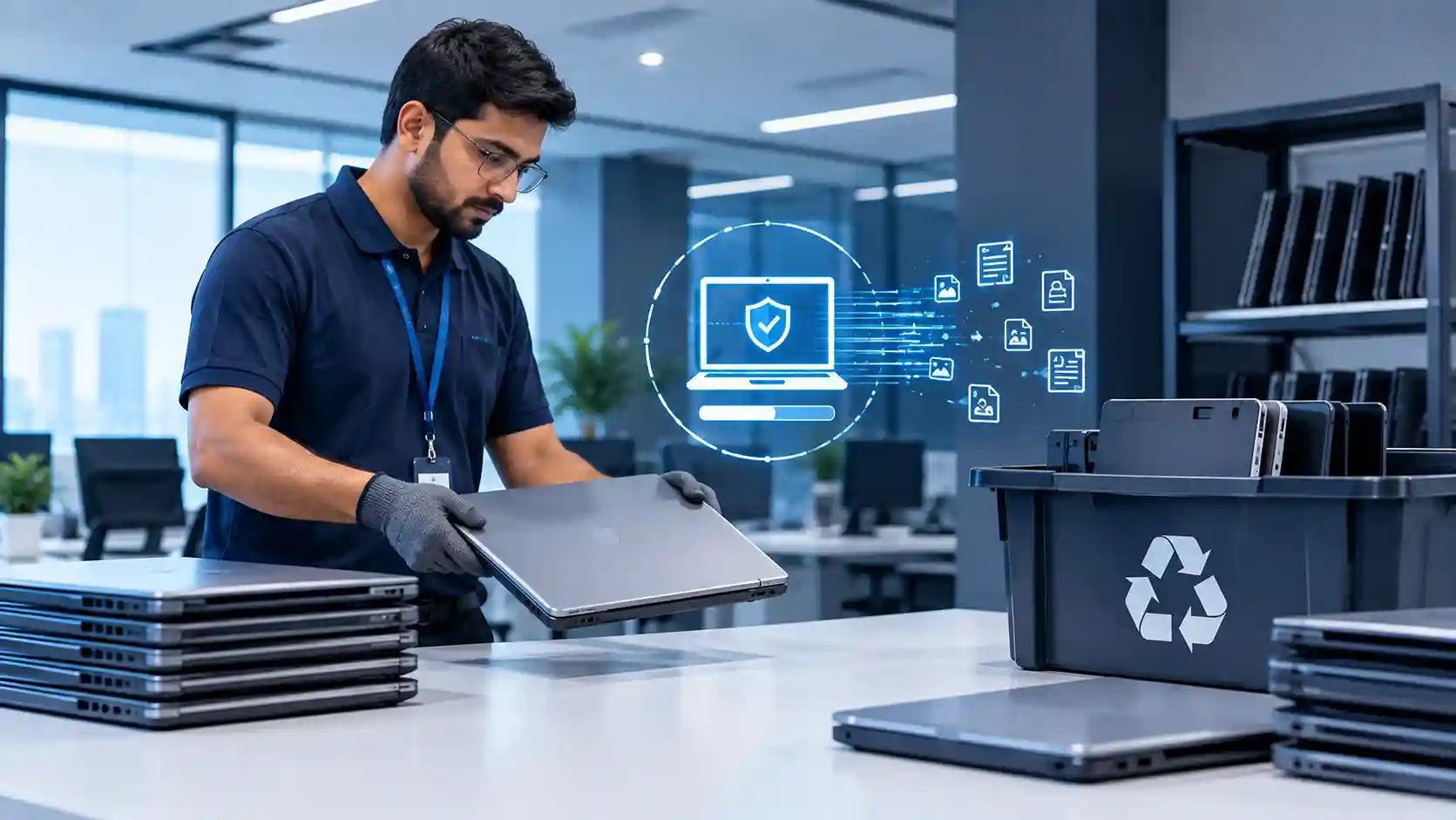
Yes, IT asset disposal and secure data wiping should be addressed within an IT AMC or clearly linked to a separate IT lifecycle service—but businesses should never assume they are automatically included. When laptops, desktops, servers, storage drives, or other devices reach end-of-life, the AMC should define who identifies the assets, protects or removes business data, updates asset records, and coordinates secure disposal.
For businesses using ongoing IT AMC services in Dubai, adding a defined end-of-life process helps close an important gap between maintaining equipment while it is operational and dealing with it safely when it is no longer needed.
What Is IT Asset Disposal?
IT asset disposal is the controlled process of retiring business technology that is obsolete, damaged, replaced, or no longer required.
It can include:
- Laptops and desktops
- Servers and storage devices
- Hard drives and SSDs
- Network equipment
- Printers and peripherals
- Mobile devices
- Backup media
- Other data-bearing hardware
Proper IT asset disposal involves more than throwing old equipment away. Businesses must first determine whether company data remains on the device, whether the asset can be reused or reassigned, whether records need updating, and how the equipment will leave the organization’s control.
This makes disposal part of IT lifecycle management, rather than simply a waste-management activity.
Should IT Asset Disposal Be Included in an AMC?
It should at least be defined in the AMC scope.
An IT AMC typically focuses on keeping active systems functioning, while IT asset disposal deals with what happens at the end of a device’s useful life. The two processes are closely connected.
An AMC provider may already know:
- Which devices are becoming unreliable
- Which hardware is approaching end-of-life
- Which assets are no longer supported
- Which systems are being replaced
- Which users previously used those devices
That makes the support provider well positioned to initiate the retirement process.
However, businesses should clarify whether the contract includes only identification and recommendation, or also covers wiping, collection, destruction, recycling, and documentation.
CubeZix’s IT hardware services in Dubai already extend across asset management, upgrades, maintenance, procurement, and end-of-life disposal, making hardware lifecycle management a natural companion to ongoing AMC support.
Why Data Wiping Must Happen Before Disposal
The most important part of IT asset disposal is often not the physical device—it is the information stored inside it.
An old laptop might contain customer documents, employee information, financial records, saved browser sessions, emails, application data, cached files, VPN configurations, or locally synchronized cloud documents.
Deleting files manually or performing a basic reset should not automatically be treated as proof that sensitive business information has been securely removed.
A controlled disposal process should establish:
what data is present → whether it needs to be retained → whether a backup is required → how the device will be sanitized → how completion will be documented.
Where important data must be preserved before retirement, businesses should coordinate disposal with their data backup and disaster recovery strategy. CubeZix’s backup services focus on protecting business information and maintaining recovery capability, which is particularly relevant before storage devices are retired.
IT Asset Disposal Should Start Before the Device Leaves the Office
A secure disposal process should begin while the hardware is still under organizational control.
Once a laptop, server, or disk has been handed to an unknown third party without being properly recorded and sanitized, the business has significantly less control over what happens next.
A practical IT asset disposal workflow can follow these stages:
Asset identified for retirement → data reviewed → required data backed up → access removed → secure wiping or destruction completed → asset register updated → device reused, recycled, returned, or disposed of
This creates accountability from the moment an asset is retired until it leaves the organization.
1. Identify Hardware Reaching End-of-Life
IT asset disposal should not begin only when a device completely fails.
Your IT support team should be able to identify hardware that is becoming outdated, unreliable, unsupported, or increasingly expensive to maintain.
Lifecycle decisions can be based on device condition, warranty status, performance, business requirements, operating-system compatibility, security support, and repair history.
This is where ongoing maintenance supports better disposal planning.
CubeZix has previously discussed how AMC support can extend the lifespan of networking hardware through preventive maintenance and lifecycle planning. Eventually, however, continuing to maintain ageing hardware may stop being the best option.
2. Decide Whether the Asset Should Be Reused or Retired
Not every replaced device needs immediate disposal.
Some equipment can be:
Reassigned to another employee.
Repurposed for a less demanding function.
Stored temporarily as approved backup hardware.
Returned under a vendor or leasing agreement.
Recycled or disposed of when there is no practical business use.
The IT team should make this decision before wiping and removing the asset from inventory.
For example, a laptop that is no longer powerful enough for a designer may still be suitable for a light administrative role.
Good IT asset disposal therefore combines security with cost management.
3. Remove User and Administrative Access
Device retirement should also trigger an access review.
IT teams should remove or verify:
- User profiles
- Local administrator accounts
- VPN configurations
- Saved credentials
- Remote-management tools
- Application access
- Authentication certificates
- Company management profiles
This is particularly important when equipment is being sold, donated, recycled, or transferred outside the company.
The objective is not only to erase files but also to ensure that the retired asset no longer represents a trusted endpoint within the business environment.
4. Securely Wipe Data-Bearing Devices
The appropriate wiping method depends on the type of storage and what will happen to the device afterwards.
If equipment is being reused internally, secure sanitization followed by reconfiguration may be sufficient.
If a drive is leaving organizational control, a stronger process may be required.
If storage is defective or contains particularly sensitive information, physical destruction may sometimes be preferable to reuse.
The AMC or associated lifecycle procedure should therefore define who authorizes wiping, who performs it, and how the organization verifies completion.
5. Update the IT Asset Register
A surprisingly common problem is that disposed hardware remains recorded as an active business asset.
Every IT asset disposal event should update the organization’s inventory.
Useful records can include:
- Asset identification number
- Device type and serial number
- Previous assigned user
- Retirement date
- Reason for retirement
- Data-wiping status
- Final destination
- Replacement asset where relevant
Accurate lifecycle records become increasingly important as organizations grow and maintain hundreds of endpoints.
6. Maintain Evidence of Disposal
Businesses should also decide what evidence they require after sensitive equipment is retired.
Depending on the process, documentation might include an internal approval record, wiping confirmation, asset status change, handover record, or destruction/recycling documentation.
This creates a traceable history showing that an asset was intentionally retired rather than simply disappearing from the company’s inventory.
How IT Asset Disposal Fits Into IT AMC
The role of an AMC provider can begin well before the actual disposal date.
Through maintenance and monitoring, the IT team can identify ageing hardware, recommend replacement timing, coordinate data protection, plan migrations to replacement devices, and maintain asset records.
The relationship therefore looks like:
Monitor → Maintain → Identify ageing asset → Recommend replacement → Protect data → Retire asset → Wipe data → Update inventory → Dispose or reuse
This is why IT asset disposal works well as an extension of IT lifecycle management.
CubeZix’s main IT AMC solutions for Dubai businesses already focus on keeping active systems secure, reliable, and supported. Asset disposal complements that service by defining what happens once those systems reach the end of their operational lifecycle.
Questions to Ask Before Adding IT Asset Disposal to an AMC
Before signing or renewing an AMC, ask:
Does the provider identify hardware approaching end-of-life?
Is secure data wiping included or separately charged?
Who verifies that important information has been backed up?
Are retired devices removed from the asset register?
Can the provider coordinate replacement hardware and migration?
What documentation is provided after disposal?
These questions make responsibilities clear before an urgent disposal requirement arises.
Make IT Asset Disposal Part of the Technology Lifecycle
IT equipment should have a managed lifecycle from the day it enters the business until the day it leaves.
Procurement, configuration, maintenance, upgrades, replacement, data wiping, and eventual IT asset disposal should not operate as disconnected activities.
For businesses already working with an AMC provider, the best approach is to establish exactly where ongoing maintenance ends and end-of-life management begins.
A structured process protects business information, improves inventory accuracy, reduces unnecessary hardware retention, and makes replacement planning easier.
If your company wants ongoing support that includes proactive hardware lifecycle planning, review CubeZix’s IT AMC services in Dubai and define asset retirement responsibilities before ageing equipment becomes an operational or data-security concern.
Frequently Asked Questions
What is IT asset disposal?
IT asset disposal is the controlled retirement of computers, servers, storage devices, networking equipment, and other technology that is obsolete, damaged, replaced, or no longer required.
Should IT asset disposal automatically be included in an AMC?
Not necessarily. Businesses should check the contract. The AMC may identify ageing assets and recommend replacement while secure wiping, physical disposal, or recycling may be handled under a separate hardware lifecycle service.
Should data be wiped before disposing of old computers?
Yes. Business data should be reviewed, retained where necessary, and securely removed before a data-bearing device leaves organizational control.
Can old IT equipment be reused instead of disposed of?
Yes. Some assets can be reassigned or repurposed if they remain secure, supported, and suitable for the intended role.
Who should maintain records of disposed IT assets?
The organization should maintain an accurate asset register, while its IT team or service provider can help document retirement, wiping, reassignment, replacement, and final disposal.